Financial reporting is one of the most important processes in modern business management. Companies need accurate financial statements, timely management reports, reliable performance metrics, and clear visibility into revenue, expenses, profitability, and cash flow. However, preparing these reports manually can consume significant time and resources, particularly when financial information comes from multiple systems.
Many finance departments still rely on spreadsheets, manual data exports, repetitive calculations, and email-based approval processes. These workflows can create reporting delays, inconsistent figures, duplicate work, and difficulties tracking the source of financial information. As businesses grow, these challenges become more complicated.
Financial reporting automation software helps organizations streamline the process of collecting financial data, reconciling information, preparing reports, validating figures, and distributing results to stakeholders. Instead of rebuilding financial reports every month, finance teams can use automated workflows, connected data sources, standardized templates, and scheduled reporting processes.
The best financial reporting automation software for modern businesses can improve efficiency, reduce manual errors, support compliance, and provide executives with more timely insights. Some platforms focus on financial close and reconciliation, while others specialize in enterprise consolidation, management reporting, budgeting, or regulatory disclosures.
In this guide, we explore the best financial reporting automation platforms in 2026, their features, advantages, limitations, and how businesses can choose the right solution.
What Is Financial Reporting Automation Software?
Financial reporting automation software is a technology solution that automates the preparation, organization, analysis, validation, and distribution of financial reports.
These platforms can connect with accounting systems, enterprise resource planning (ERP) software, spreadsheets, financial databases, and other business applications to gather information and generate reports with less manual intervention.
Common reports include:
- Income statements
- Balance sheets
- Cash flow statements
- Monthly and quarterly financial reports
- Budget-versus-actual reports
- Management reporting packages
- Consolidated financial statements
- Profitability and KPI reports
- Regulatory and compliance disclosures
Depending on the platform, automation may include data extraction, transaction matching, account reconciliation, report generation, consolidation, workflow approvals, and scheduled report distribution.
Financial reporting automation is particularly valuable for businesses with multiple departments, locations, subsidiaries, reporting currencies, or complex accounting processes.
Best Financial Reporting Automation Software
1. Workiva — Best for Compliance and Connected Financial Reporting
Workiva is a financial reporting and compliance platform designed for organizations that need to manage financial statements, disclosures, regulatory reporting, and audit-related workflows.
One of its key strengths is connecting information across documents, spreadsheets, and reports. When source data changes, linked information can help teams maintain consistency across reporting materials while preserving review and control processes.
Workiva is particularly relevant for public companies and organizations with complex disclosure requirements.
Key features
- Connected financial reporting
- Financial statement preparation
- Regulatory filing workflows
- Audit trails and review controls
- Data linking across documents
- XBRL capabilities
- Collaboration and approval workflows
Pros
- Supports structured reporting and compliance workflows
- Helps maintain consistency across reports
- Useful for audit and review processes
- Suitable for complex disclosure environments
Cons
- May be more than smaller businesses need
- Implementation requires workflow planning
- Pricing is generally tailored to business requirements
Best for: Public companies, large finance departments, and businesses with extensive compliance and disclosure needs.
2. BlackLine — Best for Financial Close and Reconciliation Automation
BlackLine is a finance and accounting automation platform focused on financial close management, reconciliations, transaction matching, intercompany processes, and financial control workflows.
It can help finance teams reduce repetitive work during the month-end and quarter-end close, organize account reconciliation processes, and establish more standardized reporting procedures.
BlackLine is especially valuable for organizations that manage numerous accounts, entities, and financial transactions.
Key features
- Account reconciliation automation
- Financial close management
- Transaction matching
- Journal entry workflows
- Intercompany accounting
- Task monitoring
- Audit documentation and controls
Pros
- Strong financial close capabilities
- Helps standardize accounting workflows
- Supports complex reconciliation requirements
- Suitable for larger finance operations
Cons
- Implementation can be complex
- May require process redesign
- Cost may be substantial for smaller businesses
Best for: Mid-sized and enterprise organizations looking to improve financial close efficiency and reporting reliability.
3. FloQast — Best for Accounting Team Workflow Automation
FloQast is an accounting workflow and close management platform designed to help finance teams organize closing activities, reconciliations, documentation, and reporting-related processes.
It helps accounting departments manage tasks, track completion, organize supporting documentation, and coordinate responsibilities across team members.
For businesses that rely heavily on spreadsheets and email to coordinate month-end activities, FloQast can introduce more structured and repeatable processes.
Key features
- Month-end close checklists
- Reconciliation management
- Workflow tracking
- Documentation management
- Accounting team collaboration
- ERP integrations
- Automated close workflows
Pros
- Accounting-focused workflow design
- Helps teams monitor close progress
- Supports accountability and documentation
- Useful for reducing manual coordination
Cons
- Primarily focused on finance workflows rather than general BI
- Advanced processes may require configuration
- Pricing may depend on business size and requirements
Best for: Accounting teams that want to organize close processes and reduce repetitive reporting-related work.
4. OneStream — Best for Enterprise Financial Consolidation
OneStream is an enterprise finance platform designed to connect financial consolidation, reporting, planning, and performance management processes.
Organizations with multiple subsidiaries, business units, or regional operations may struggle to consolidate financial information using disconnected spreadsheets. OneStream provides an environment for managing enterprise financial data and related processes.
Its capabilities can support consolidated reporting, financial close, planning, and analysis within a broader finance platform.
Key features
- Financial consolidation
- Enterprise reporting
- Financial close management
- Planning and budgeting
- Workflow controls
- Multi-entity financial management
- Performance analytics
Pros
- Supports complex enterprise reporting
- Combines multiple finance processes
- Suitable for multi-entity organizations
- Helps centralize financial data
Cons
- Implementation can require substantial planning
- Smaller organizations may not need its full functionality
- Users may require training and specialized support
Best for: Large enterprises with complex consolidation, reporting, and financial management requirements.
5. Planful — Best for Automated Management Reporting and Planning
Planful combines financial planning, reporting, budgeting, forecasting, and performance management capabilities in a connected finance environment.
It can help organizations automate recurring management reports, consolidate financial information, analyze budget variances, and connect historical financial performance with forward-looking plans.
This is useful for CFOs who want reporting automation to support business planning rather than only produce historical financial statements.
Key features
- Financial reporting
- Budgeting and forecasting
- Financial consolidation
- Management dashboards
- Variance analysis
- Workflow automation
- Financial planning
Pros
- Combines reporting and planning workflows
- Supports management reporting
- Helps improve budget visibility
- Useful for finance-led performance management
Cons
- Setup requires defined reporting structures
- Advanced capabilities may require training
- Costs may be higher than basic accounting software
Best for: Mid-sized and enterprise businesses looking to connect reporting, forecasting, and financial planning.
6. Vena — Best for Excel-Based Financial Reporting
Vena is a financial planning and reporting platform that combines centralized data, workflow controls, and familiar Microsoft Excel-based processes.
Many finance professionals are comfortable with spreadsheets but struggle with version control, disconnected files, and manual data collection. Vena helps teams build structured financial reporting and planning processes around spreadsheet-based workflows.
It can be an appealing option for businesses that want to modernize reporting without abandoning familiar Excel processes.
Key features
- Excel-based financial reporting
- Automated data integration
- Budgeting and forecasting
- Financial templates
- Reporting workflows
- Approval processes
- Financial analysis
Pros
- Familiar environment for finance professionals
- Supports spreadsheet-based workflows
- Helps centralize financial information
- Connects reporting with planning
Cons
- Spreadsheet familiarity does not eliminate model design risks
- Advanced implementation may require expertise
- Organizations must maintain disciplined reporting processes
Best for: Finance departments that rely heavily on Excel and want more structured reporting automation.
7. Sage Intacct — Best for Growing Businesses and Multi-Dimensional Reporting
Sage Intacct is cloud-based financial management software that provides accounting, financial reporting, and business visibility for growing organizations.
Its reporting capabilities allow businesses to analyze financial performance using dimensions such as departments, locations, projects, customers, and business units, depending on their configuration.
For companies that have outgrown basic bookkeeping software, Sage Intacct can provide more advanced financial reporting and accounting controls.
Key features
- Financial statements
- General ledger reporting
- Multi-dimensional reporting
- Accounts payable and receivable
- Financial dashboards
- Multi-entity capabilities
- Accounting automation
Pros
- Strong financial management foundation
- Useful for growing and multi-entity businesses
- Supports detailed financial analysis
- Can reduce dependence on manual reporting
Cons
- Implementation and configuration require planning
- Not necessarily the simplest solution for small businesses
- Advanced reporting may require trained administrators
Best for: Growing companies that need deeper financial reporting, accounting controls, and operational visibility.
8. NetSuite — Best for Integrated ERP Financial Reporting
NetSuite provides accounting and ERP functionality within a broader business management platform.
Its financial reporting capabilities are useful for businesses that want to connect accounting information with operational data such as sales, inventory, purchasing, projects, and subsidiaries.
By using an integrated ERP environment, companies can reduce the need to combine data manually from separate business applications when preparing financial reports.
Key features
- Financial statements and reporting
- General ledger
- Multi-subsidiary consolidation
- Revenue management
- Business dashboards
- Accounting automation
- ERP data integration
Pros
- Integrated financial and operational information
- Suitable for growing and enterprise businesses
- Supports multi-entity reporting
- Broad ERP functionality
Cons
- Implementation can be demanding
- Total cost can increase with modules and complexity
- Requires thoughtful configuration and training
Best for: Companies looking for financial reporting automation as part of a broader ERP system.
Financial Reporting Automation Software Comparison
| Platform | Best For | Main Strength |
|---|---|---|
| Workiva | Compliance and disclosure | Connected reporting |
| BlackLine | Financial close automation | Reconciliation and controls |
| FloQast | Accounting teams | Close workflows |
| OneStream | Large enterprises | Consolidation |
| Planful | FP&A and reporting | Planning and reporting together |
| Vena | Excel-based finance teams | Spreadsheet-driven workflows |
| Sage Intacct | Growing businesses | Dimensional financial reporting |
| NetSuite | ERP-based reporting | Integrated business data |
Key Features to Look for in Financial Reporting Automation Software
Automated Data Collection
A reporting platform should connect to relevant financial data sources, reducing the need for repeated manual exports and spreadsheet consolidation.
Financial Reconciliation
Automated reconciliation tools help finance teams compare financial records, identify discrepancies, and investigate mismatched transactions before reports are finalized.
Report Templates
Reusable templates can standardize financial statements, management reports, KPI dashboards, and recurring reporting packages.
Approval Workflows
Reporting workflows should support review, approval, sign-off, and accountability so financial reports are not distributed without appropriate validation.
Audit Trails
A reliable platform should help users understand where financial data came from, who changed it, when changes occurred, and how reports were approved.
Integration Capabilities
Compatibility with ERP, accounting, banking, spreadsheets, CRM, and other business applications is important for reducing data silos.
Financial Dashboards
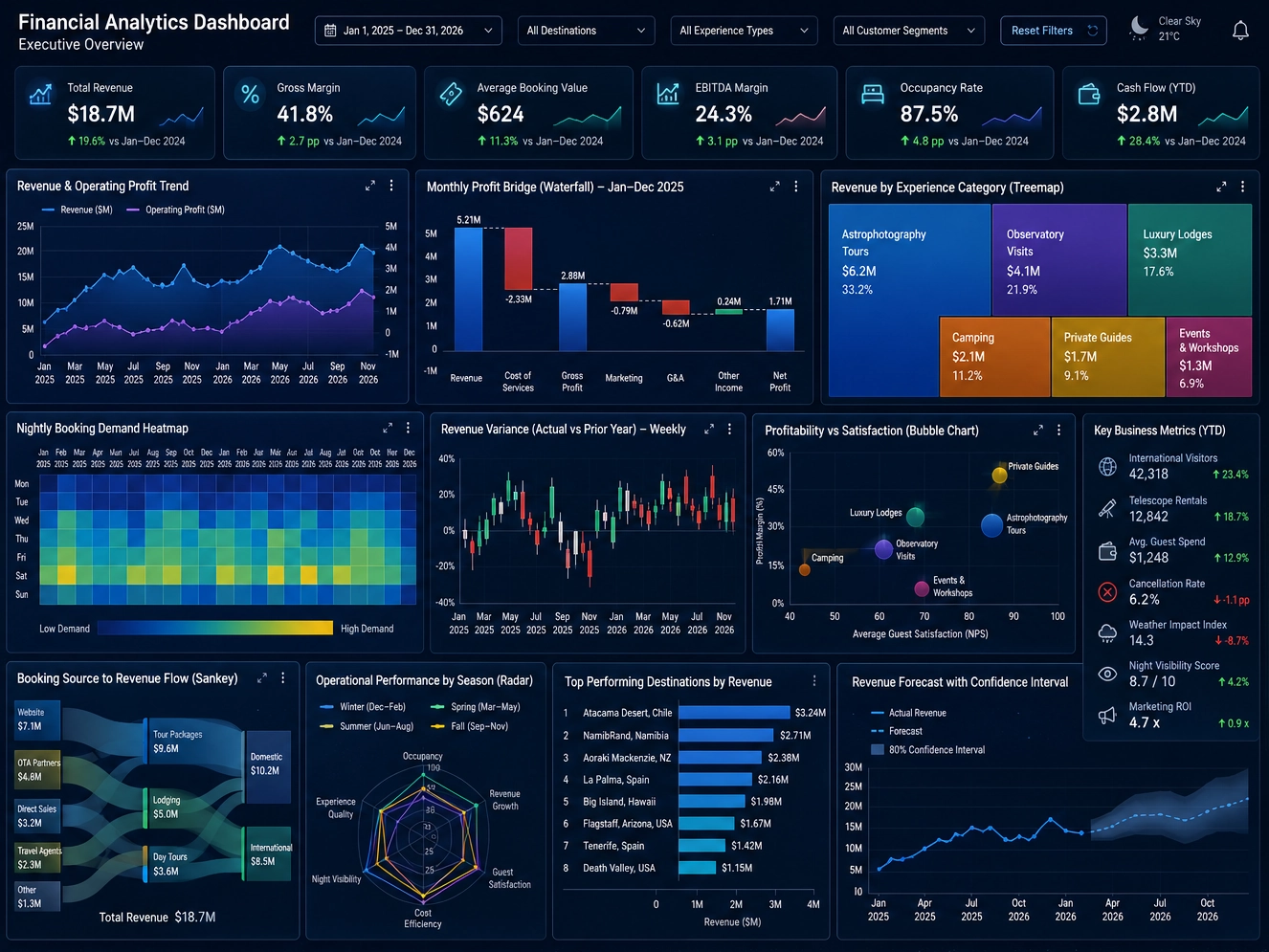
Interactive dashboards can help managers monitor revenue, costs, profitability, liquidity, and performance without waiting for manually assembled reports.
Benefits of Financial Reporting Automation
1. Reduced Manual Work
Automation can eliminate repetitive data collection, report formatting, spreadsheet updates, and routine distribution tasks. Finance professionals can spend more time analyzing results and supporting business decisions.
2. Faster Reporting Cycles
Automated workflows can shorten the time required to prepare monthly, quarterly, and annual reports by streamlining data gathering, reconciliation, and review.
3. Improved Data Consistency
Standardized calculations, templates, and data connections help reduce differences between reports produced by separate departments.
4. Fewer Manual Errors
Reducing copy-and-paste operations and repetitive calculations can help lower the risk of data entry mistakes. Automation still requires review, validation, and appropriate controls.
5. Better Decision-Making
Timely reporting provides executives with better visibility into financial performance, enabling more informed decisions about spending, hiring, investments, and business strategy.
6. Stronger Financial Controls
Structured approval workflows, permissions, documentation, and audit trails help finance departments maintain accountability and improve reporting governance.
How to Choose the Right Financial Reporting Automation Platform
Businesses should evaluate financial reporting software based on their specific requirements rather than selecting a platform solely because it offers the largest feature set.
Consider these factors before purchasing:
- Business size: Small businesses may need simple automation, while large enterprises may require consolidation and complex reporting workflows.
- Reporting complexity: Evaluate the number of entities, currencies, departments, and financial statements involved.
- Existing systems: Consider compatibility with current accounting software, ERP, and data warehouse infrastructure.
- Ease of use: Finance teams should be able to operate the platform without excessive technical dependence.
- Security: Review access controls, audit logs, data protection, and vendor security documentation.
- Scalability: Choose software that can support future growth and more complex financial operations.
- Total cost: Consider licenses, implementation, integrations, training, and maintenance.
- Automation priorities: Determine whether your biggest challenge is reconciliation, report generation, consolidation, compliance, or close management.
How Much Does Financial Reporting Automation Software Cost?
Pricing depends on the size of the business, platform functionality, users, entities, data volume, and implementation requirements.
Basic accounting platforms may include automated financial reporting within their standard subscription. More advanced reporting, close management, consolidation, and enterprise compliance platforms may require customized pricing.
Businesses should consider the full cost of ownership, including:
- Software subscriptions
- Implementation and configuration
- Data migration
- ERP and accounting integrations
- Employee training
- Technical support
- Maintenance and administration
The most cost-effective solution is not necessarily the cheapest subscription. Businesses should evaluate how much time the software saves, how it improves reporting accuracy, and whether it reduces the operational cost of financial reporting.
Frequently Asked Questions
What is the best financial reporting automation software?
The best platform depends on the business. Workiva is a strong option for connected financial reporting and compliance, BlackLine for close and reconciliation automation, FloQast for accounting workflows, and Planful for financial reporting combined with planning.
Can financial reporting be fully automated?
Many reporting tasks can be automated, including data collection, calculations, reconciliations, report generation, and distribution. However, review, judgment, approvals, unusual transactions, and accountability still require appropriate human oversight.
Is financial reporting automation software suitable for small businesses?
Yes. Small businesses can benefit from automated financial statements, dashboards, and recurring reports. They may start with reporting features inside accounting software before moving to a more advanced platform as operations grow.
Does reporting automation replace accountants?
No. Automation reduces repetitive work but does not replace accounting judgment, financial interpretation, controls, compliance expertise, or strategic decision-making. It allows finance professionals to focus on higher-value activities.
What is the difference between financial reporting and financial close automation?
Financial reporting automation focuses on preparing, validating, and distributing financial reports. Financial close automation focuses on the processes required to close accounting periods, including reconciliations, journal entries, task management, and approvals. Many platforms offer overlapping capabilities.
Is automated financial reporting accurate?
Automation can improve consistency and reduce manual errors, but accuracy depends on source data, mapping rules, formulas, integrations, and controls. Reports should be reviewed and validated before being used for important business decisions or external reporting.
What reports can be automated?
Businesses can automate income statements, balance sheets, cash flow statements, budget-versus-actual reports, departmental reports, consolidated financial statements, financial KPI dashboards, and many recurring management reporting packages.
Conclusion
Financial reporting automation software is becoming an essential technology for businesses that want to improve financial efficiency, reporting accuracy, visibility, and decision-making.
By automating data collection, reconciliation, reporting workflows, and financial statement preparation, organizations can reduce manual work while making their financial information more accessible and consistent.
Workiva is a strong option for compliance-driven reporting, BlackLine and FloQast support close-related automation, OneStream serves complex enterprise consolidation needs, and Planful and Vena connect reporting with planning. Sage Intacct and NetSuite offer broader financial management and ERP capabilities.
The best financial reporting automation software for modern businesses is the platform that fits the organization’s reporting complexity, financial systems, control requirements, budget, and long-term growth strategy.
Rather than focusing only on automation features, businesses should prioritize dependable data, clear reporting workflows, security, scalability, and measurable improvements in the finance team’s productivity.
With the right implementation, financial reporting automation can help transform reporting from a time-consuming administrative process into a more efficient and strategic business function.
Related Articles
- Best Financial Reporting Software for Businesses in 2026
- Best Financial Data Analytics Platforms for CFOs
- Financial Planning and Analysis Software: Best FP&A Platforms
- Best Budgeting and Forecasting Software for Businesses
- Corporate Financial Dashboard Software for Executive Teams
- Best Financial Analytics Software for Enterprise Companies
- Best Cash Flow Management Software for Businesses in 2026
- Best Business Analytics Software for Small and Medium Businesses
- Best Business Dashboard Software for Real-Time Reporting