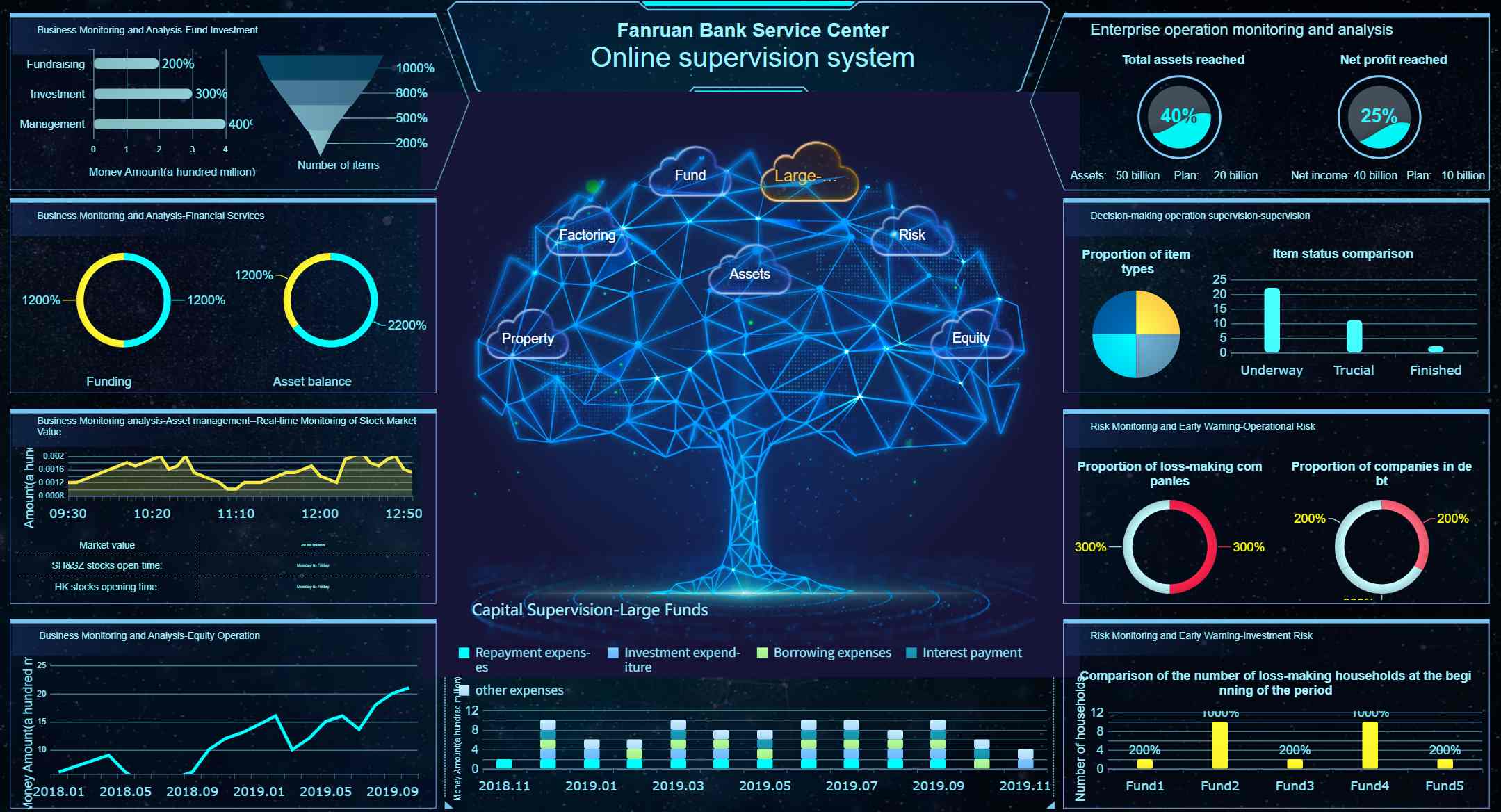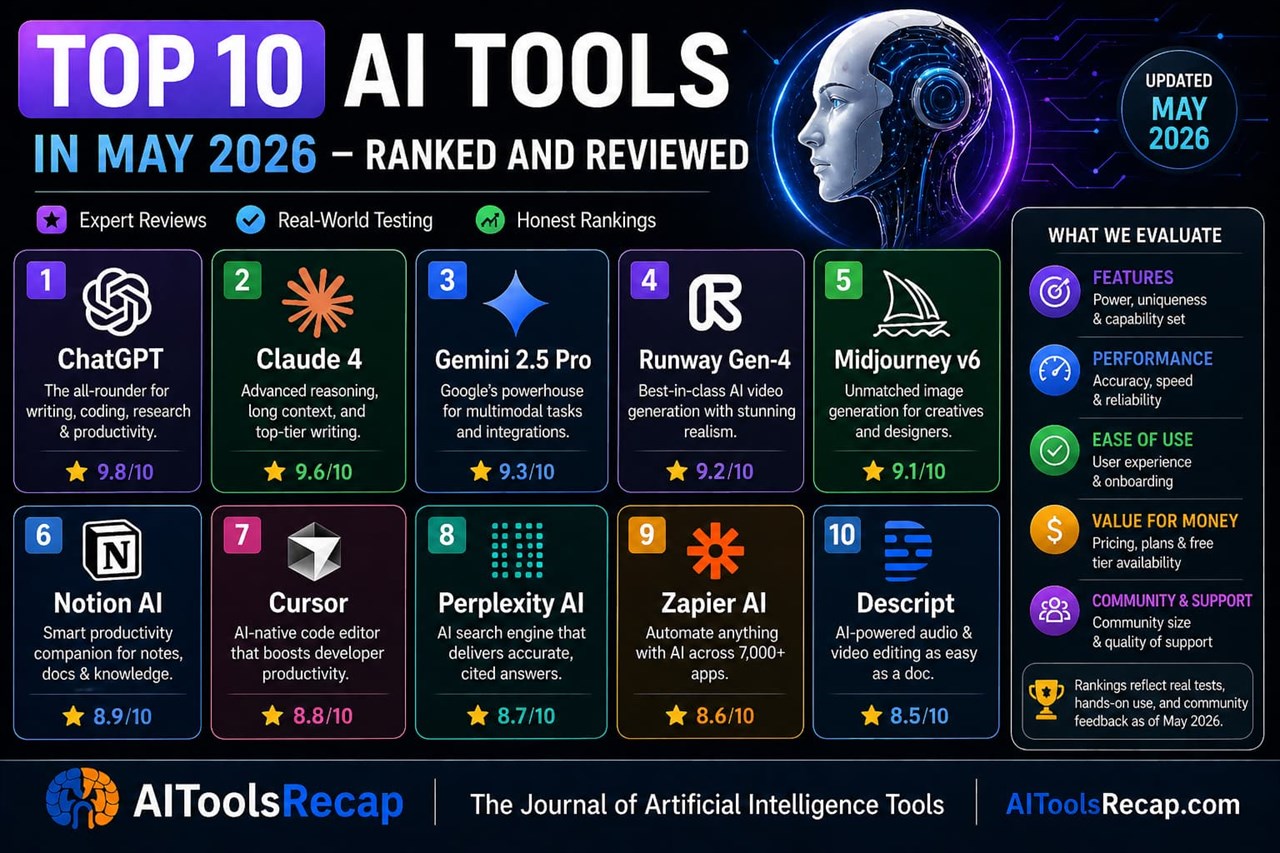
Business data plays an important role in modern decision-making. Companies collect information from sales transactions, customer interactions, marketing campaigns, financial systems, website activity, and operational processes. Analyzing this information can help organizations understand performance, identify opportunities, and make better strategic decisions.
However, analyzing large amounts of data is not always easy. Traditional workflows often require employees to clean spreadsheets, write SQL queries, build dashboards, create reports, and interpret complicated datasets. These activities can consume significant time, especially when information comes from multiple systems.
This is where generative AI is changing the business analytics landscape.
The best generative AI tools for business data analysis can help companies interact with information using natural language, generate analytical summaries, explore spreadsheet data, create visualizations, and investigate trends. Instead of manually performing every step, employees can use AI assistants to accelerate parts of the analytical process.
For example, a business owner could upload a sales spreadsheet and ask which products generated the most revenue. A financial analyst could request a summary of monthly expense changes. A marketing manager could use AI to investigate campaign performance and identify potential areas for improvement.
In 2026, several AI platforms offer useful capabilities for business data analysis. Some are general-purpose AI assistants, while others are specialized analytics environments designed for professional data teams.
This guide compares leading generative AI tools, explains their strengths and limitations, and provides practical advice for selecting the right solution.
What Is Generative AI for Business Data Analysis?
Generative AI for business data analysis refers to the use of artificial intelligence models that can interpret questions, work with structured or unstructured information, and generate useful analytical outputs.
Traditional analytics software typically relies on predefined queries, dashboards, formulas, and reports. Generative AI introduces a more conversational way to interact with information.
Users can ask questions in everyday language and request explanations, summaries, charts, formulas, or analytical recommendations.
Common capabilities include:
- Natural-language data analysis: Ask questions about business information without writing every query manually.
- Spreadsheet assistance: Analyze tables, explain formulas, and help organize spreadsheet information.
- Automated reporting: Generate summaries and explanations from business datasets.
- Data visualization: Assist with creating charts and explaining trends.
- Code generation: Help analysts write or understand Python, SQL, and other analytical code.
- Pattern discovery: Identify possible relationships, changes, and unusual observations.
- Business forecasting: Support predictive analysis when connected to appropriate data and modeling tools.
These capabilities can make data analysis more accessible. However, generative AI can still produce incorrect calculations or misleading explanations. Businesses should verify important results against trusted datasets and established analytical methods.
Best Generative AI Tools for Business Data Analysis in 2026
1. ChatGPT – Best Overall AI Assistant for Business Data Analysis
<text color=”secondary” size=”xs”>Website: https://chatgpt.com/</text>
ChatGPT is a general-purpose AI assistant that can support many business data analysis tasks. Depending on the available model, tools, and account features, users can work with spreadsheets, explore uploaded datasets, generate code, interpret charts, and create analytical summaries.
For example, a small business owner can provide a sales spreadsheet and ask ChatGPT to summarize monthly revenue, identify the best-performing product categories, or explain changes in sales performance.
ChatGPT can also help analysts write Python or SQL code, explain statistical concepts, and develop repeatable analytical workflows.
Key Features:
- Spreadsheet and file analysis
- Natural-language data exploration
- Python-assisted analysis
- Chart and visualization assistance
- Formula and SQL generation
- Analytical summaries and explanations
- Support for business reporting workflows
Advantages:
- Flexible for different business analysis tasks
- Accessible through conversational interaction
- Useful for both technical and nontechnical users
- Can assist with spreadsheets, code, and written reports
- Supports a wide range of analytical questions
Limitations:
ChatGPT is not automatically a replacement for a dedicated BI platform or a governed enterprise data warehouse. Users must verify calculations, check assumptions, and consider privacy requirements before uploading confidential business information.
Best For: Business owners, financial analysts, marketers, consultants, and teams that need a flexible AI assistant for data analysis.
2. Claude – Best for Detailed Analytical Explanations
<text color=”secondary” size=”xs”>Website: https://claude.ai/</text>
Claude, developed by Anthropic, is an AI assistant that can help users understand documents, analyze information, interpret structured content, and explain complex findings.
It can be useful when business analysis involves more than numbers. Companies often need to combine spreadsheets with reports, written research, internal documents, and strategic plans.
Claude can help summarize these materials, identify relevant information, and explain possible business implications.
Key Features:
- Document and data analysis
- Spreadsheet-related assistance
- Natural-language explanations
- Code generation and interpretation
- Long-form analytical summaries
- Support for structured business workflows
Advantages:
- Useful for detailed explanations
- Helps summarize complex business information
- Can support research and analytical documentation
- Suitable for combining numerical and written information
Limitations:
Claude should not be treated as an independent source of verified financial calculations. Its analytical capabilities depend on the model, tools, and file formats available in a particular environment.
Best For: Analysts, consultants, researchers, and business teams that need detailed explanations of complex information.
3. Google Gemini – Best for Google Workspace Users
<text color=”secondary” size=”xs”>Website: https://gemini.google.com/</text>
Google Gemini is Google’s AI assistant and can support data analysis, research, summarization, and productivity workflows.
Its integration with Google’s ecosystem can make it useful for organizations that rely on Google Workspace, Sheets, Drive, and Google Cloud services.
For example, employees may use Gemini-supported workflows to interpret spreadsheet information, summarize business documents, or explore data-related questions.
Key Features:
- Natural-language data analysis assistance
- Spreadsheet and document workflows
- Data summarization
- Chart and report assistance
- Integration with Google’s ecosystem
- Support for analytical research
Advantages:
- Useful for Google Workspace environments
- Supports different types of business information
- Can assist with spreadsheet-related tasks
- Helps connect research and productivity workflows
Limitations:
Available capabilities vary by product, account, region, and subscription. Companies should confirm which Gemini features are available in their specific Workspace or Google Cloud environment.
Best For: Businesses that rely on Google Workspace and want AI assistance within their existing productivity ecosystem.
4. Microsoft Copilot – Best for Excel-Based Business Analysis
<text color=”secondary” size=”xs”>Website: https://www.microsoft.com/microsoft-copilot</text>
Microsoft Copilot brings AI assistance into Microsoft’s productivity and business software ecosystem.
For business data analysis, its relationship with Excel is particularly relevant. Depending on the product and license, Copilot can help users understand spreadsheet information, explore trends, generate formulas, and work with data more efficiently.
This can be valuable for finance departments, sales teams, and business managers that already use Excel for daily reporting.
Key Features:
- AI assistance for spreadsheet workflows
- Formula and data explanation
- Business document summarization
- Integration with Microsoft applications
- Reporting and productivity assistance
- Support for enterprise workflows
Advantages:
- Fits organizations using Microsoft 365
- Useful for spreadsheet-heavy workflows
- Helps reduce repetitive analytical tasks
- Can support collaboration across departments
Limitations:
Not every Copilot feature is included in every Microsoft subscription. Organizations should check licensing, supported applications, data permissions, and feature availability before purchasing.
Best For: Companies that use Excel and Microsoft 365 as core business tools.
5. Julius AI – Best for Spreadsheet and Dataset Analysis
<text color=”secondary” size=”xs”>Website: https://julius.ai/</text>
Julius AI is a data analysis assistant designed to help users work with datasets through natural-language instructions.
It can support spreadsheet exploration, statistical analysis, data visualization, and the creation of analytical outputs.
For example, a marketing analyst could provide campaign data and ask the tool to compare conversion rates across different advertising channels.
Key Features:
- Natural-language data analysis
- Spreadsheet and dataset exploration
- Chart generation
- Statistical analysis assistance
- Data visualization
- Analytical summaries
Advantages:
- Designed around data analysis tasks
- Useful for users who do not write code regularly
- Supports visual exploration of datasets
- Can help accelerate exploratory analysis
Limitations:
Users should review generated calculations, chart assumptions, and statistical methods. Businesses handling sensitive datasets should also review the service’s data handling and privacy policies.
Best For: Analysts, students, consultants, and small business teams that frequently work with spreadsheets.
6. Hex – Best for Collaborative Data Teams
<text color=”secondary” size=”xs”>Website: https://hex.tech/</text>
Hex is an analytics workspace designed for data professionals and collaborative business analysis.
It combines notebook-based workflows, SQL, Python, data exploration, and interactive analytical applications. Its AI-related capabilities help users work with data and develop analytical workflows more efficiently.
Hex is particularly useful when organizations want technical analysts and business stakeholders to collaborate around shared analytical projects.
Key Features:
- SQL and Python notebooks
- Collaborative data analysis
- Interactive data applications
- AI-assisted analytical workflows
- Data visualization
- Connected data environments
Advantages:
- Suitable for professional analytics teams
- Combines technical and business workflows
- Supports reusable analytical projects
- Encourages collaboration between analysts and stakeholders
Limitations:
Hex may be more technical than necessary for a business owner who only wants to analyze occasional spreadsheets. Companies should evaluate the learning curve and integration requirements.
Best For: Data analysts, analytics engineers, and companies with established data teams.
7. Databricks AI/BI Genie – Best for Enterprise Data Analytics
<text color=”secondary” size=”xs”>Website: https://www.databricks.com/</text>
Databricks AI/BI Genie is designed to make enterprise data more accessible through natural-language analytics.
It allows business users to ask questions about connected datasets without manually writing every SQL query. Its effectiveness depends on the quality of the data, semantic configuration, and business context provided to the system.
Because it operates within the Databricks ecosystem, it is particularly relevant for organizations using lakehouse architecture and large-scale data processing.
Key Features:
- Natural-language data exploration
- AI-assisted business analytics
- Enterprise data integration
- Lakehouse architecture
- Data governance capabilities
- Analytical dashboards and reporting
Advantages:
- Designed for enterprise data environments
- Connects BI with broader data engineering workflows
- Supports natural-language access to structured data
- Relevant to companies with large datasets
Limitations:
It may require significant technical preparation and is not necessarily suitable for businesses that only need simple spreadsheet analysis.
Best For: Large organizations with established data warehouses or lakehouse environments.
8. Snowflake Cortex Analyst – Best for Snowflake Data Environments
<text color=”secondary” size=”xs”>Website: https://www.snowflake.com/</text>
Snowflake Cortex Analyst is designed to support natural-language analytics over structured data stored in Snowflake.
It helps users ask business questions and translate them into analytical queries. This can make data exploration more accessible to employees who do not regularly write SQL.
Its use of semantic information is important because business terms such as revenue, active customer, and gross margin must be defined consistently.
Key Features:
- Natural-language questions about structured data
- SQL-assisted analytical workflows
- Semantic modeling support
- Integration with Snowflake data
- Enterprise-oriented data controls
- Business analytics assistance
Advantages:
- Fits companies already using Snowflake
- Helps business users access structured data
- Supports governed analytical workflows
- Reduces the need to manually write every query
Limitations:
Cortex Analyst is most relevant to organizations with Snowflake data infrastructure. Implementation requires appropriate data preparation, semantic definitions, and access controls.
Best For: Enterprises and data teams using Snowflake for cloud data management and analytics.
Comparison of the Best Generative AI Tools
| Tool | Best Use Case | Main Strength |
|---|---|---|
| ChatGPT | General business analysis | Flexible data and spreadsheet assistance |
| Claude | Detailed explanations | Document and analytical reasoning |
| Google Gemini | Google Workspace users | Google ecosystem integration |
| Microsoft Copilot | Excel-based analysis | Microsoft productivity workflows |
| Julius AI | Spreadsheet analysis | Natural-language dataset exploration |
| Hex | Collaborative data teams | SQL, Python, and analytics workspace |
| Databricks AI/BI Genie | Enterprise analytics | Natural-language lakehouse analytics |
| Snowflake Cortex Analyst | Snowflake users | Conversational structured-data analysis |
The platforms are not identical. General-purpose AI assistants are useful for flexible analysis, while specialized tools provide deeper integration with business data infrastructure.
Benefits of Using Generative AI for Business Data Analysis
1. Faster Data Exploration
Generative AI can help employees investigate datasets by asking questions in natural language.
Instead of manually writing every query, users can request summaries, comparisons, and explanations. This can accelerate early-stage analysis.
2. Reduced Manual Reporting
Business teams often spend hours preparing recurring reports. AI assistants can help summarize information, generate formulas, and draft report explanations.
Employees can then spend more time checking results and understanding business performance.
3. Better Access to Business Insights
Traditional data analysis often depends on specialized technical knowledge. Natural-language interfaces can make some analytical tasks more accessible to employees outside dedicated data teams.
4. Improved Productivity for Analysts
AI can assist with SQL, Python, spreadsheet formulas, documentation, and analytical explanations.
This does not remove the need for experienced analysts. Instead, it can reduce repetitive work and help analysts focus on more complex questions.
5. Support for Business Forecasting
Some AI platforms can support predictive analytics when connected to appropriate models, data, and analytical tools.
Companies may use these workflows to explore revenue trends, demand forecasts, customer behavior, and operational planning.
Predictions should always be evaluated against historical accuracy and current business conditions.
How to Choose the Right Generative AI Tool
Selecting the right tool requires understanding how your company works with data.
Identify Your Main Analytical Requirements
Start by listing the tasks your team wants to improve.
For example:
- Sales performance reporting
- Financial spreadsheet analysis
- Customer behavior research
- Marketing campaign evaluation
- Revenue forecasting
- Enterprise data exploration
Different platforms are designed for different workflows.
Evaluate Data Compatibility
Check whether the tool supports your existing spreadsheet formats, databases, cloud platforms, and business applications.
If your organization relies heavily on Excel, Microsoft Copilot may be worth evaluating. Companies using Snowflake or Databricks may benefit more from their respective AI analytics environments.
Review AI Accuracy
Test the software using real business questions and representative datasets.
Check whether it produces correct calculations, explains its assumptions, and distinguishes between verified results and generated interpretations.
Consider Security and Privacy
Business datasets can contain sensitive financial, customer, and employee information.
Before uploading confidential data, review the vendor’s privacy terms, data retention policies, access controls, and enterprise security options.
Compare Pricing and Scalability
Consider more than the initial subscription fee.
Evaluate user limits, usage allowances, enterprise licensing, integration costs, storage, and the resources needed to maintain the platform.
Test Before Making a Long-Term Commitment
Use a trial or pilot project where available. Ask employees from different departments to test realistic workflows and provide feedback.
This helps determine whether the software delivers practical value rather than simply offering impressive demonstrations.
Common Risks of Generative AI in Business Analytics
Although generative AI can improve analytical workflows, companies should understand its limitations.
Incorrect calculations: AI-generated formulas or numerical summaries may contain errors.
Misleading interpretations: A model may identify a relationship that does not establish a cause-and-effect connection.
Data privacy concerns: Uploading sensitive information to an unapproved AI service can create security and compliance risks.
Incomplete business context: AI may misunderstand internal metric definitions or organizational terminology.
Overreliance on automation: Employees may accept generated answers without checking the underlying data.
The best approach is to use AI as an analytical assistant, not as an unquestionable authority.
Final Thoughts
Generative AI is creating new ways for companies to analyze business data. It can help users explore spreadsheets, understand trends, create reports, generate code, and interact with enterprise data through natural-language questions.
ChatGPT offers flexible assistance for a wide range of business analysis tasks. Claude is useful for detailed explanations, while Gemini and Microsoft Copilot fit organizations that use Google Workspace and Microsoft 365.
Julius AI is worth considering for spreadsheet-focused analysis. Hex supports collaborative data teams, while Databricks AI/BI Genie and Snowflake Cortex Analyst are more specialized options for enterprise data environments.
The best generative AI tool depends on the company’s data infrastructure, team expertise, security requirements, and analytical goals.
Before choosing a platform, test its accuracy, review its privacy policies, compare the total cost, and make sure employees can verify important findings.
Used responsibly, generative AI can help organizations make business data easier to understand and turn analytical workflows into a more productive part of everyday decision-making.
Frequently Asked Questions
1. What are the best generative AI tools for business data analysis in 2026?
Leading options include ChatGPT, Claude, Google Gemini, Microsoft Copilot, Julius AI, Hex, Databricks AI/BI Genie, and Snowflake Cortex Analyst. The right choice depends on the type of data and business environment.
2. Can generative AI analyze Excel spreadsheets?
Yes. Several AI assistants can help users interpret spreadsheet data, explain formulas, summarize information, and generate analytical outputs. Supported features depend on the product and account configuration.
3. Which AI tool is best for business data analysis?
ChatGPT is a flexible option for general analysis. Microsoft Copilot may be suitable for Excel-centered workflows, while specialized platforms such as Databricks and Snowflake are more appropriate for certain enterprise data environments.
4. Can generative AI replace business data analysts?
No. AI can help automate repetitive tasks, generate code, and explain information, but analysts remain essential for validating results, understanding business context, and making recommendations.
5. Is generative AI suitable for financial data analysis?
It can assist with financial spreadsheets, reporting, summaries, and exploratory analysis. However, important financial calculations and decisions should be reviewed by qualified professionals.
6. Are generative AI data analysis tools secure?
Security varies by provider, product, and subscription. Companies should review data handling, retention, access controls, encryption, and enterprise privacy options before processing confidential information.
7. Can generative AI create business reports automatically?
Many tools can assist with summaries, charts, explanations, and report drafting. The level of automation varies, and generated reports should be checked before distribution.
8. What is the difference between generative AI and traditional business intelligence?
Traditional BI focuses on dashboards, reporting, data modeling, and visualization. Generative AI adds conversational interaction and the ability to generate explanations, code, summaries, and other analytical outputs.